# Introduction to R
Introduction to data management and data analysis with R and RStudio.
## Outline
The course is grouped into (potentially overlapping) sections which do
not necessarily need to correspond to workshop days.
The sections are:
### 1. Getting started
- Setting up R and RStudio and getting familiar with RStudio as an
environment
- Basic R syntax and common language features such as the included help
system
- Essential data types and data structures
- Familiarization with example datasets used throughout the course
- Using [Quarto](https://quarto.org/) as the environment for code
examples and exercises
### 2. Exploratory data analysis
- Creating and manipulating tabular data with the tidyverse
- Preparing for typical data cleaning tasks
- Data visualization basics using ggplot2
- Descriptive statistics to understand one’s data
- Assess data integrity
- Paving the way for publication-ready tables and visualizations using
extension packages
### 3. Statistical analysis
- Basic hypothesis testing for common research questions
## Prerequisites
Ideally R and RStudio are already installed at the start of the course.
See [these instructions](https://lukasburk.de/posts/install-r/) for
example.
If a local setup is not feasible, consider using an online service such
as [Posit Cloud](https://posit.cloud/) (see below).
## How to use this repository
Depending on your setup, you can either work with these materials
*locally* on your own computer or in the browser on a cloud service,
[Posit Cloud](https://posit.cloud/).
Installing the required packages is part of the course, but if you want
to be safe and install them in advance (e.g. due to technical issues
like an unstable internet connection) follow these instructions
depending on your preferences / needs and afterwards refer to
[`scripts/install-packages.R`](./scripts/install-packages.R) and run the
commands to install the R packages.
### Locally with R / RStudio installed
Click to show instructions
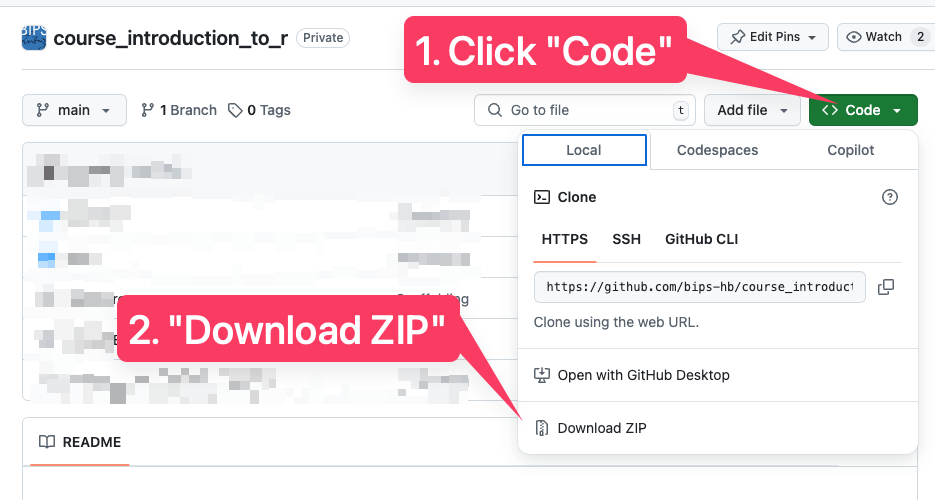
- On [the GitHub
page](https://github.com/bips-hb/course_introduction_to_r), click the
green “Code” button and choose “Download ZIP”
- Extract the downloaded ZIP file
- Double-click `course_introduction_to_r.Rproj`
### Using posit.cloud
Click to show instructions
Log in on using whichever method you prefer (it’s
free!)
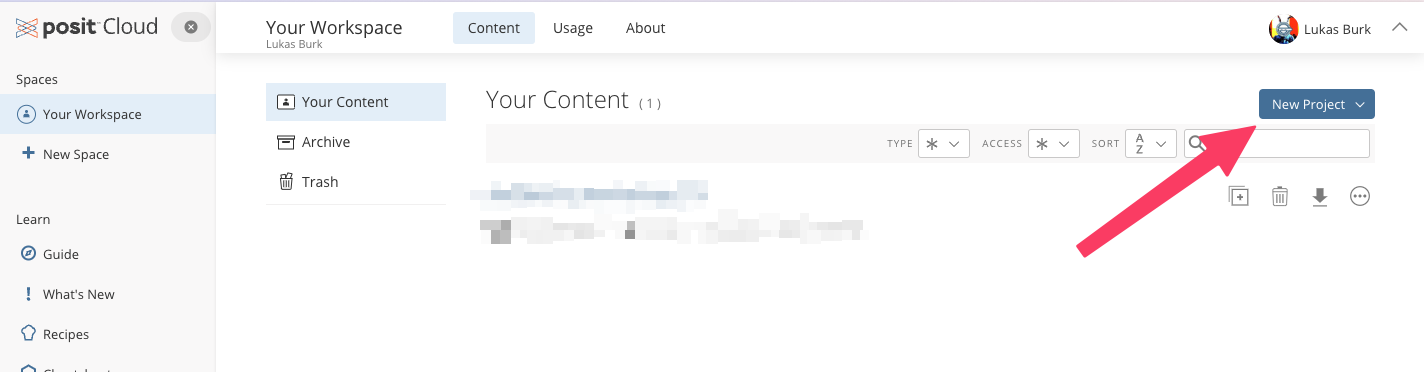
Choose “New Project”
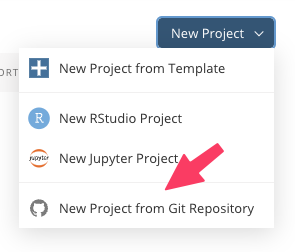
Choose “New project from Git repository”
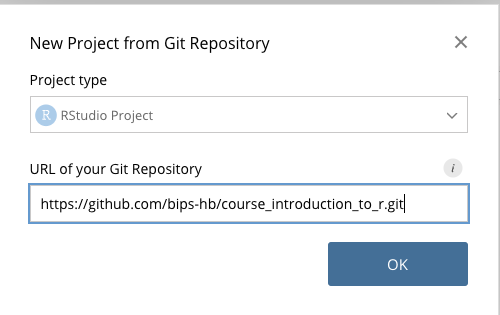
For the URL, enter
`https://github.com/bips-hb/course_introduction_to_r.git`
## Additional materials
### Introductory courses
Materials here are in part inspired by the great work other people have
already done and kindly shared with the community!
- [R Crash Course](https://r-crash-course.github.io/) (based on [a
Software Carpentry
course](https://swcarpentry.github.io/r-novice-gapminder/))
- [The R Workshop](https://www.r-workshop.org/) by Rebecca L. Barter
### Books
- [R for Data Science](https://r4ds.hadley.nz/) by Hadley Wickham et al.
- [Advanced R](https://adv-r.hadley.nz/) by Hadley Wickham
- [What They Forgot to Teach You About R](https://rstats.wtf/) by
Jennifer Bryan et al.
- [The R Graphics Cookbook](https://r-graphics.org/) by Winston Chang.